Using conditional formatting in excel
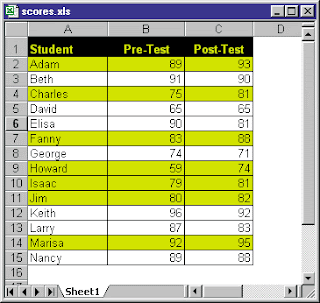
Conditional formating helps you make the excel cells behave in a different way according your requirements you desire. For example you can change the cell background to red if you enter text as red or the moment you enter text as red the font color changes to red. You can play with excel you can do lot of things in excel and more over conditional formating which help you create alerts also autmatic barcharts inside the cells instead of using bar charts. If you need help regarding such formats feel free to write to us @ w.xl.tech@gmail.com ----------------------------- Excel's conditional formatting feature (available in Excel 97 or later) offers an easy way to apply special formatting to cells if a particular condition is met. This feature is even more useful when you understand how to use a formula in your conditional formatting specification. The worksheet below shows student grades on two tests. Conditional formatting highlights students who scored higher on the second test. Thi...